
To scrape emails from Twitter profiles in bulk, you paste or upload your own list of X handles into TweetScraper, and it returns the ones with a contact email as a CSV. This is the “I already have the accounts, I just need their emails” workflow - you bring the usernames, TweetScraper turns them into a contact list, all in the cloud with no X login required.
It’s the mirror image of the other scrapers. Instead of discovering a new audience, you enrich a known one: a shortlist of target accounts, handles you collected at an event, a CSV someone handed you, or profiles you exported from another scrape. If you’ve got the usernames and you’re missing the emails, this is the tool.
Why scrape emails from Twitter profiles?
Because usernames aren’t contactable - emails are. A list of handles is useless to a cold-email tool until each one becomes a real address with a name and a bio attached. Bulk profile scraping closes that gap in one run.
Common sources for a handle list:
- A hand-built target list. You’ve researched 200 dream accounts - competitors’ customers, dream partners, specific founders - and you want to reach them.
- Event and conference handles. Speakers, sponsors and attendees who shared their
@- now you need their inbox. - A CSV from elsewhere. A spreadsheet of X usernames from a partner, a past campaign, or a data pull with no emails on it.
- Output from another scraper. Export the handles from a followers or following scrape, slice them however you like, then feed the shortlist back in to enrich just the ones you chose.
The key takeaway: when you already know who you want, you don’t need to discover an audience - you need to enrich it. Bulk profile scraping is the shortcut from a list of handles to a list of contacts.
Worth knowing: TweetScraper never asks for your X login, so there’s nothing to connect and no risk to your own account, no matter how many profiles you run.
How to scrape emails from Twitter profiles with TweetScraper
The flow is as simple as it sounds: bring the handles, get the emails.
Step 1 - Gather your list of handles
Put your usernames together in one place - one handle per line works. They can come from anywhere: a spreadsheet, an event page, your notes, or an export from another TweetScraper run. There’s no need to clean or format them perfectly first.
💡 Tip: If you built your shortlist by hand, keep it focused on business-heavy profiles - founders, operators, agencies. The tighter your input list, the higher the share of handles that return a usable email.
Step 2 - Paste or upload and start
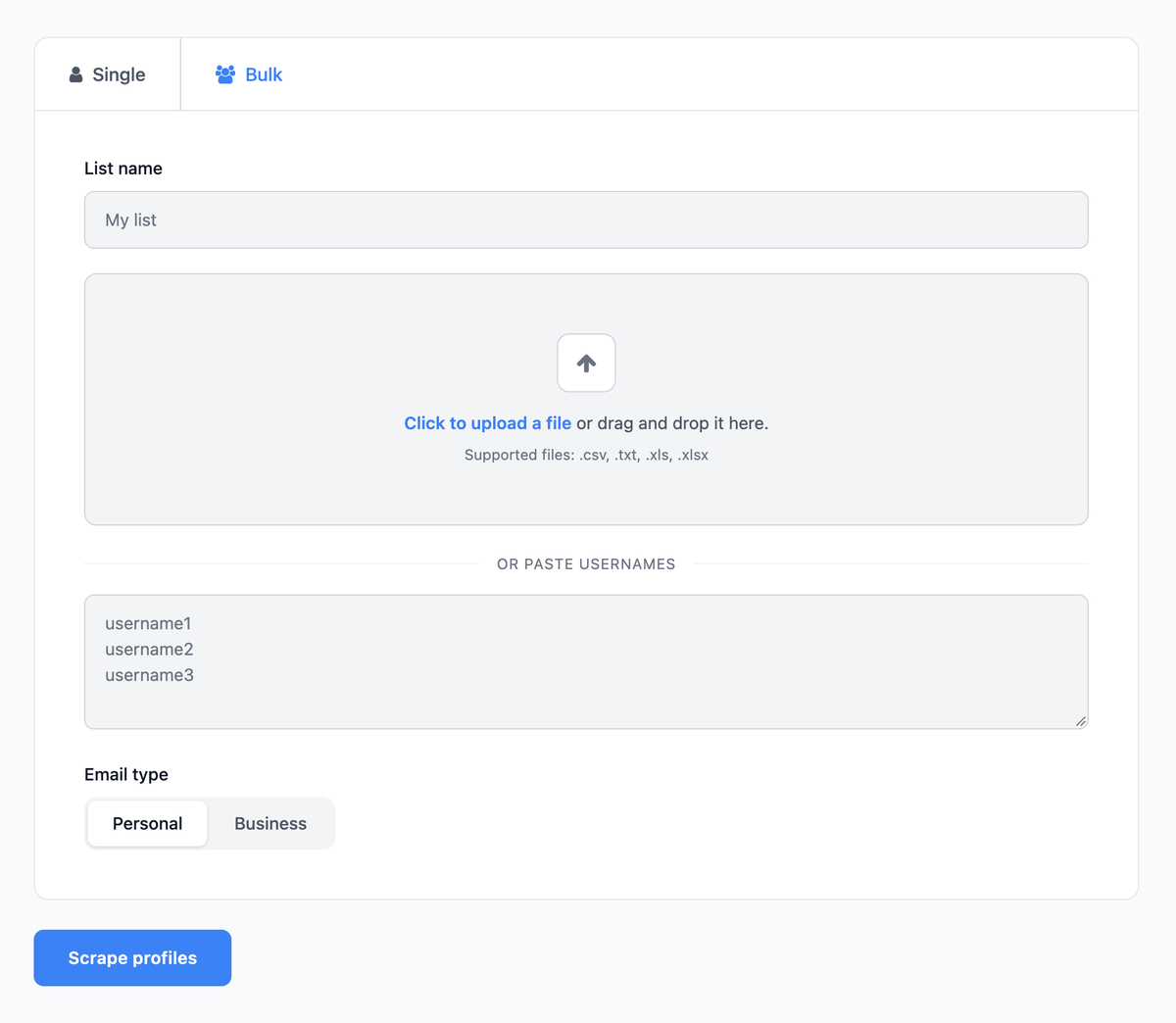
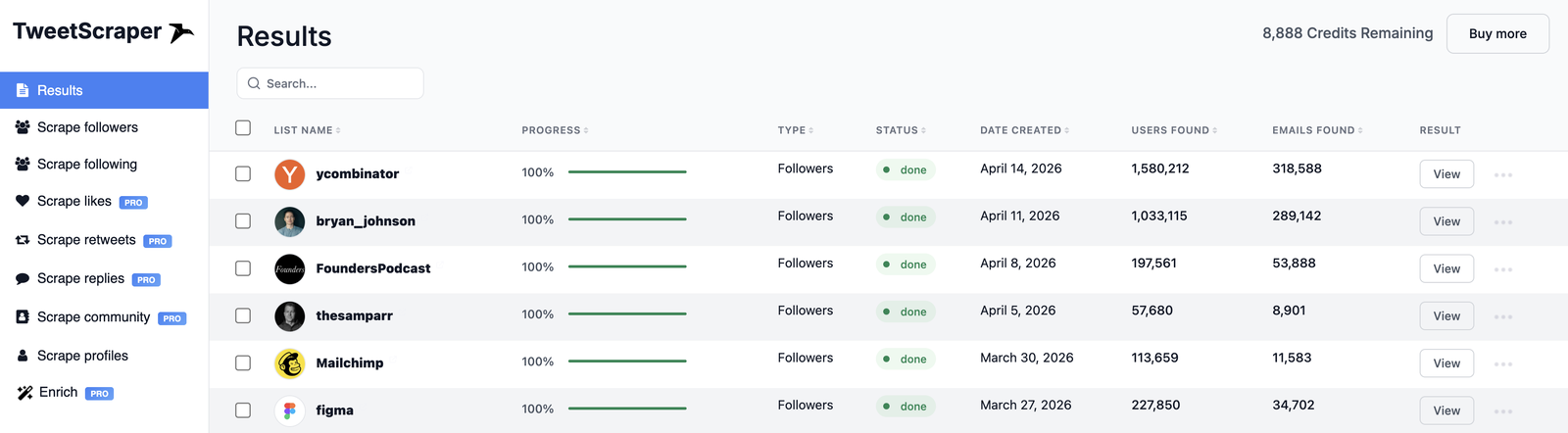
In TweetScraper, choose the profiles source, drop in your list of handles, and start the run. It runs in the cloud and begins returning emails, with live progress as it works through the list.
Step 3 - Narrow with filters (optional)
Even on a list you chose yourself, filters help you spend credits only where they count:
- Profile keywords. Keep only handles with words like Founder, CEO, Owner or Agency in their bio, name, location or website.
- Email type. Choose Business for @company.com addresses or Personal for @gmail, @outlook and similar.
- Email limit. Cap the run at a set number of emails to control the size and cost of the scrape.
Step 4 - Export your CSV
When the run finishes, export the results. You only pay 1 credit per email actually found - never for duplicates, and never for a handle with no email found - so profiles with nothing to find cost you nothing.
Start free with TweetScraper →
What you get in the export
Your list of plain usernames comes back as a full contact list. Each row carries the email plus the complete profile: profile link, user ID, username, full name, first name, website, bio, location, followers, following, tweet count, profile picture link and the source it was scraped from.
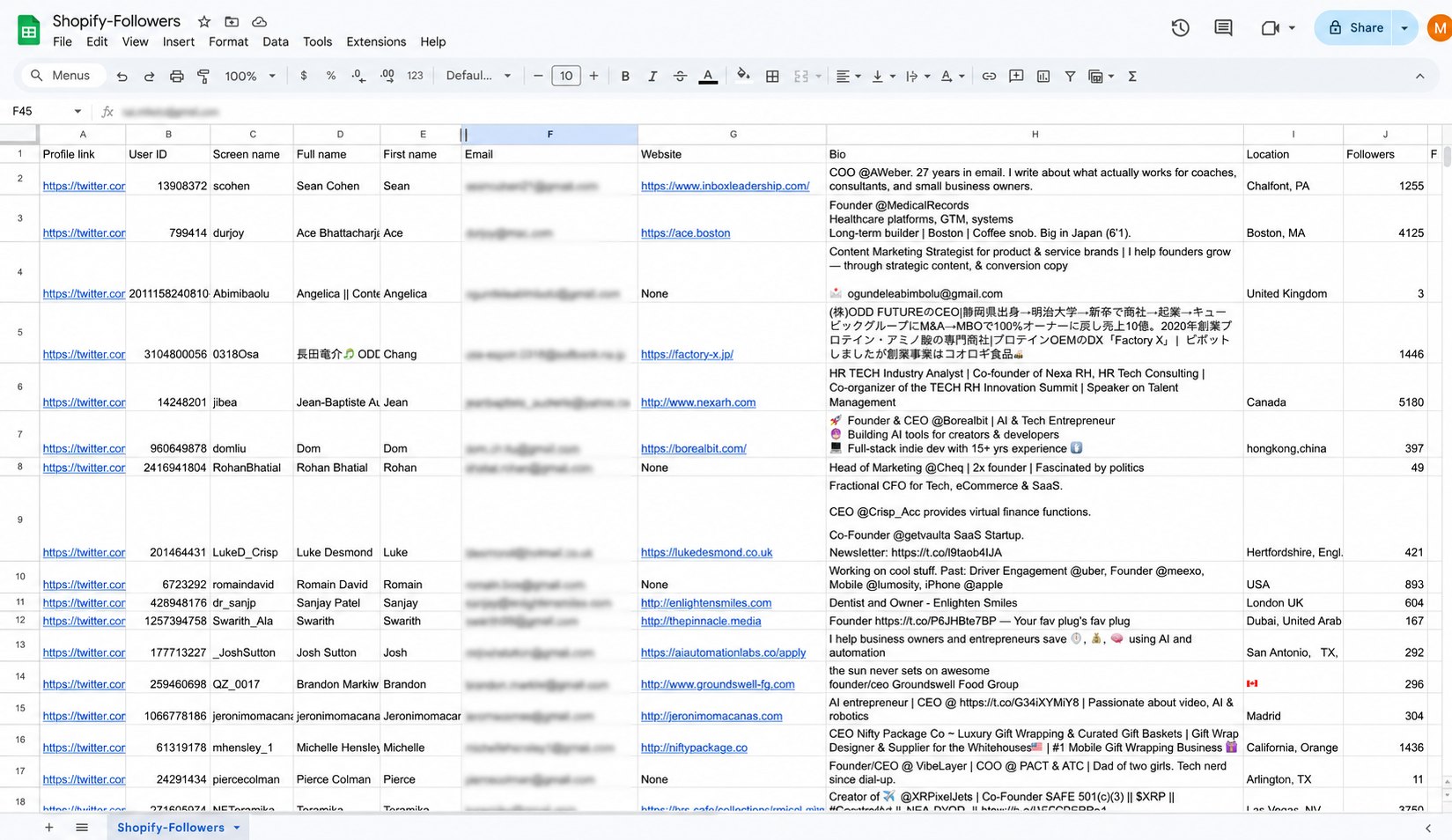
That’s the real payoff of bulk profile enrichment. You started with @handle and nothing else; you end with a named person, a reachable email, and enough bio and website context to write a first line that sounds like you actually know who they are.
What to do with your enriched list
Once your handles are real contacts, the usual plays open up:
- Cold email. Import the CSV into Instantly, Smartlead, lemlist, or your CRM and run a sequence - with bio and website data for personalisation baked in.
- Account-based outreach. For a tight target list, use the extra profile data to write genuinely tailored first lines to each contact.
- X DMs. The export also includes the handles that didn’t return an email - and you’re never charged for those - so you can still reach them with a DM.
- Paid ads. Upload the list to Meta, Google or X Ads as a custom audience and build a lookalike from your best-fit accounts.
Worth knowing: because credits roll over, you can enrich a shortlist today and run another batch next month without losing the credits you didn’t spend.
Profiles vs other TweetScraper audiences
Bulk profile scraping is the “enrich what I already have” option. The other audiences are for discovering new people - and the two pair naturally:
| Audience | Starting point | Guide |
|---|---|---|
| Profiles (your handles) | A list you already have - enrich it into contacts | This page |
| Followers | A competitor or creator - discover their audience | Scrape followers |
| Following | An influential account’s curated outbound list | Scrape following |
The power move is to combine them: discover an audience with a followers, following or keyword scrape, export the handles, trim them down to your best-fit targets, then run those back through the profiles scraper to enrich exactly the people you chose. For the full workflow across every audience, see how to scrape emails from Twitter.
Frequently asked questions
How do I find emails from a list of Twitter handles?
Paste or upload your handles into TweetScraper’s profiles scraper and start the run. It returns the ones with a contact email, plus profile link, user ID, username, full name, first name, website, bio, location, followers, following, tweet count, profile picture link and the source it was scraped from, as a CSV. You only pay for the handles that actually return an email.
How many handles can I enrich at once?
You can run large lists of handles in one go. Not every profile will have an email, so the number of contacts you get back depends on your list - business-heavy handles yield more than general-public ones. Because you’re charged 1 credit per email found, never for empty profiles, a lower hit rate just costs less.
Do I need an X account to scrape profiles in bulk?
No. TweetScraper runs in the cloud, so you never connect your own X account, apply for API access, or set up proxies. You bring the handles; it does the rest without touching your account.
Can I feed in handles exported from another scrape?
Yes - that’s one of the best uses. Run a followers, following or keyword scrape, export the handles, cut them down to your ideal targets, then run that shortlist through the profiles scraper to enrich exactly those people.
Is bulk profile scraping legal?
Yes. TweetScraper never accesses private accounts or bypasses logins. For outreach, follow standard cold-email practice: say who you are, include a working unsubscribe link, and honour opt-outs.
Got a list of handles but no emails? Turn your first 10 into real contacts free - no credit card, no X login.