The best Twitter (X) email scraper for most people in 2026 is a cloud tool that doesn’t use your own X account - it’s faster, it scales to whole audiences, and there’s no risk of your X account getting suspended. TweetScraper tops our list for that reason. Chrome extensions and cookie-based automations are cheaper but run on your own logged-in account, while raw data APIs return profiles but no emails.
Below we compare 8 tools across all four approaches, with real pricing as of September 2026.
Cloud vs extension vs API: which approach should you use?
| Cloud email scrapers | Extensions & cookie automations | Data APIs & enrichment | |
|---|---|---|---|
| How it works | Runs on the tool’s servers | Runs on your logged-in X session | Returns raw profile data you process yourself |
| Uses your X account? | No | Yes | Developer account or none |
| Returns emails? | Yes | Only if written in the bio | No - profile data only |
| Setup | Seconds | Minutes | Days, plus ongoing maintenance |
| Cost | 10 emails free, then from $49/mo | Free to ~$160/mo | Pay per record |
| Best for | Anyone who needs real lead lists | Small, occasional pulls | Data teams with custom pipelines |
 Cloud (TweetScraper)
- No risk of your X account getting suspended
- Whole audiences: followers, following, likers, retweeters, replies, communities, lists
- No limits - scrape full follower lists, even 10M+ accounts
- Emails, not just profiles
- Only pay for emails actually found
- Ready-to-send CSV in minutes
- Extensions run on your own logged-in account
- Suspension is a known risk for non-API automation
- APIs return profiles, not emails
- Raw profile data, not a ready-to-send lead list
- Cheap per record to start
The 8 best Twitter email scraper tools at a glance
| # | Tool | Type | Emails | Uses your X account? | Starting price |
|---|---|---|---|---|---|
| 1 | TweetScraper | Cloud | Yes | No | 10 emails free, then $49/mo (1,000 emails) |
| 2 | PhantomBuster | Cloud automation | Only if in bio | Yes (session cookie) | $69/mo |
| 3 | Apify | Cloud (developer) | Via community Actors | No | Free $5/mo usage, then from $19/mo |
| 4 | TwExport | Chrome extension | Only if in bio | Yes | Free (300 per export), then $19.95/mo |
| 5 | Bright Data | Data API | No | No | 5,000 records free, then $1.50 per 1,000 |
| 6 | X API | Official API | No | Developer account | Pay-per-use, $0.01 per user read |
| 7 | Clay | Enrichment | Not from X audiences | No | Free plan, paid from ~$167/mo |
| 8 | Hunter.io | Email finder | Not from X audiences | No | 50 free credits, then €49/mo |
Pricing as of September 2026, from each tool’s official pricing page or store listing.
Cloud email scrapers
1. TweetScraper - Best overall
TweetScraper turns any Twitter/X audience - a competitor’s followers or following, the people who liked, retweeted or replied to a post, a Community, a list, or your own list of handles - into a list of emails. It runs in the cloud and never asks for your X login.
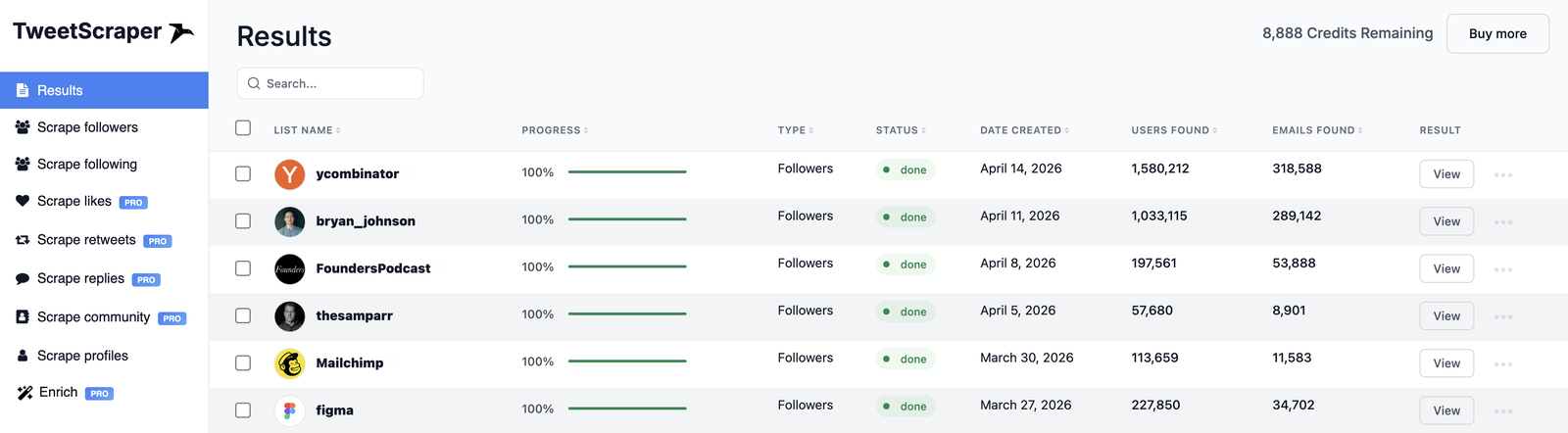
TweetScraper results: every scrape, with users and emails found, in one dashboard.
Why it’s our top pick:
- Zero account risk. You never connect your X account, so there’s no risk of your X account getting suspended.
- Every audience on X. Followers, following, likers, retweeters, repliers, Community members, list members, keyword search and custom lists.
- No limits. Scrape an account’s entire audience in one run - even full follower lists of accounts with 10M+ followers.
- Emails, not just profiles. It returns emails for the audience you pick - something raw APIs and extensions can’t do.
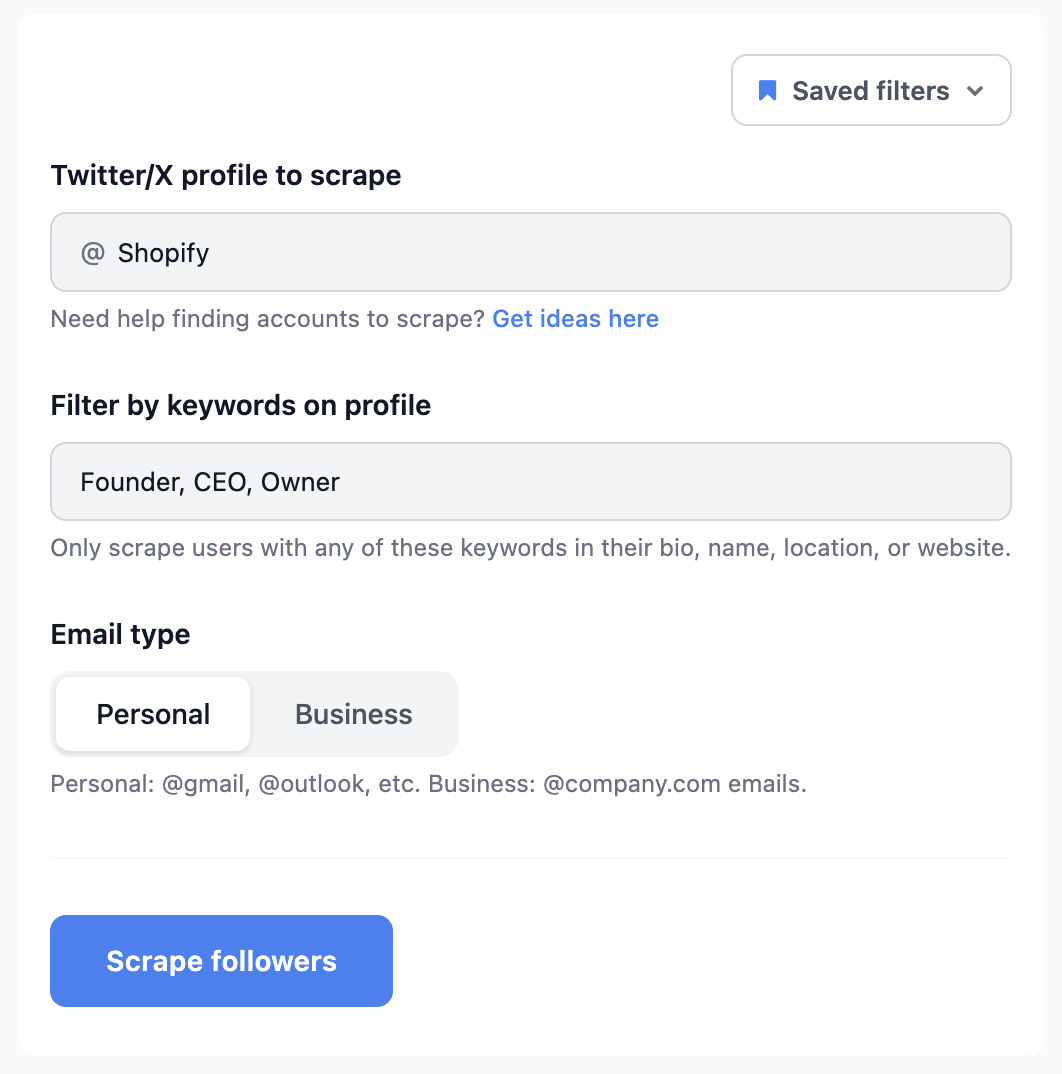
- Targeting built in. Filter by profile keywords like Founder or CEO, and choose business or personal emails.
- Only pay for what’s found. 1 credit per email - never for duplicates or profiles without one - and credits roll over.
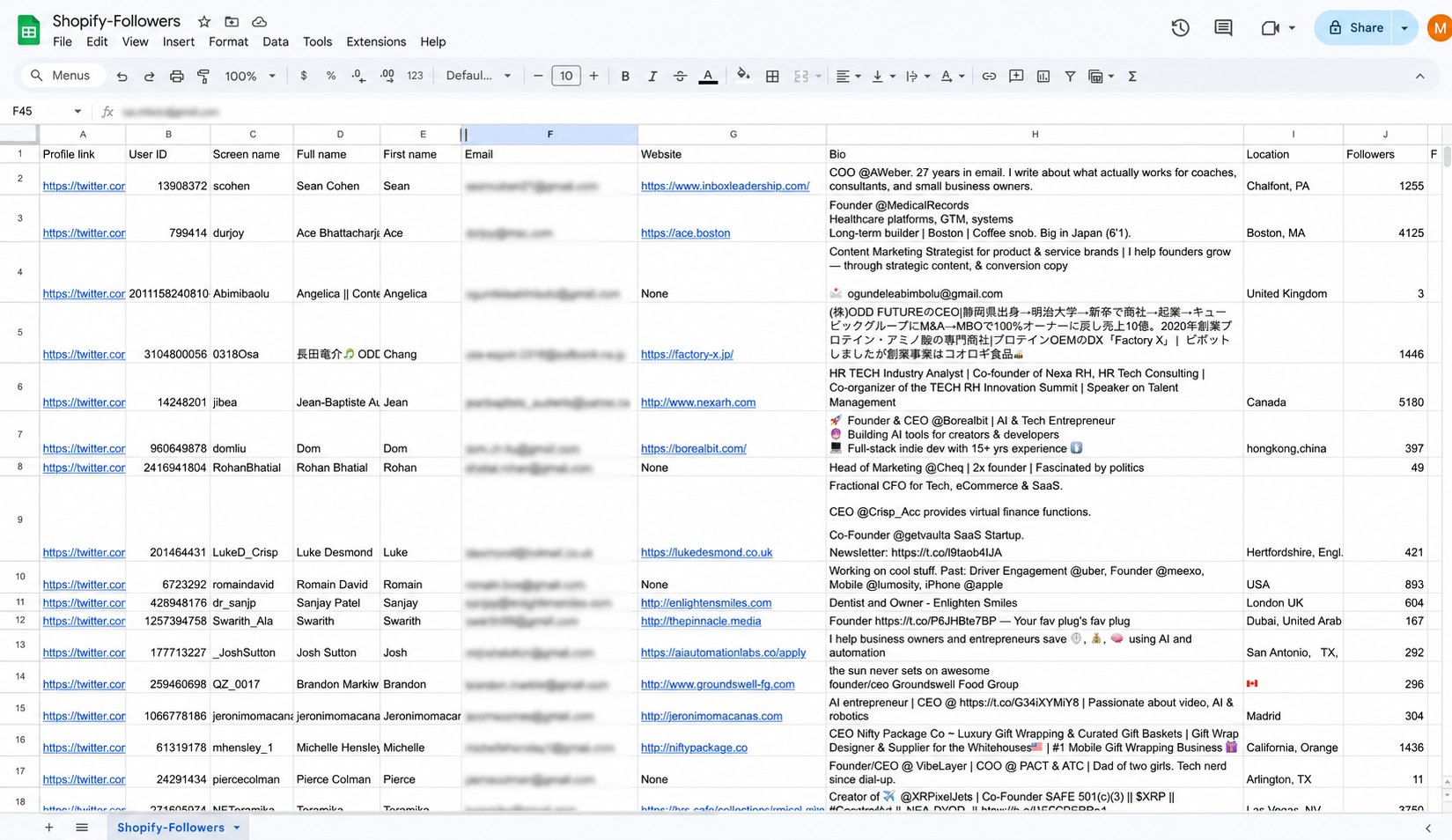
- Rich exports. Profile link, username, full name, website, bio, location and follower count on every row, ready for Instantly, Smartlead, lemlist or your CRM.
Pricing: first 10 emails free · Basic $49/mo (1,000 emails) · Growth $99/mo (5,000) · Business $249/mo (20,000) · larger plans up to $999/mo (250,000).
Best for: anyone who wants a ready-to-send lead list from X without putting their own account on the line.
Get your first 10 emails free →
2. PhantomBuster - Best for multi-step automation
PhantomBuster’s X “Phantoms” collect followers, following and profile data as part of larger no-code workflows. Its Follower Collector is capped at the 70 most recent followers per account, and its Tweet Likers Export only works on your own tweets. See our full TweetScraper vs PhantomBuster comparison.
- Pros: covers many X sources; chains into CRMs and other automations.
- Cons: it runs on your own X session cookie, and PhantomBuster’s own docs recommend staying at low daily volumes to avoid login checks; profiles only include an email when it’s written in the bio; billing by execution time is hard to predict.
- Pricing: Start $69/mo · Grow $159/mo · Scale $439/mo ($56, $128 and $352/mo billed annually). PhantomBuster pricing
3. Apify - Best for developers
Apify is a marketplace of scraping “Actors”. X follower Actors return bio and website fields for fractions of a cent per profile, but not emails.
- Pros: very cheap per record; API, scheduling and integrations.
- Cons: Actors are built by third parties and break when X changes; they return profile data, not emails.
- Pricing: free plan with $5/mo usage · Starter $19/mo · Scale $199/mo · plus per-result Actor fees. Apify pricing
Chrome extensions
Extensions share one trade-off: they run inside your logged-in X session, so every request comes from your account. That’s why they’re cheap - and why they carry real risk. X’s own developer guidelines say non-API automation “results in permanent suspension.”
4. TwExport - Best for small one-off exports
A Chrome extension that exports followers and following to a spreadsheet, with bio, bio links, website, location and follower counts.
- Pros: cheap and fast for small lists; no setup.
- Cons: runs on your own X session; there’s no email field - you only get an email if someone typed it in their bio; the free plan caps exports at 300 followers.
- Pricing: Basic free (300 per export) · Professional $19.95/user/mo (50,000 per export). TwExport
Data APIs
5. Bright Data - Best for data teams at scale
Bright Data’s X scraper API and datasets return posts, profiles and followers through its own proxy network.
- Pros: enterprise-grade infrastructure; you’re not billed for failed deliveries.
- Cons: built for developers; it returns profile data, not emails.
- Pricing: 5,000 records/mo free, then $1.50 per 1,000 records · Scale $499/mo. Bright Data X scraper
6. X API - The official route
X’s official API now runs on pay-per-use credits, with no subscription needed.
- Pros: official and stable; well documented.
- Cons: it never exposes other users’ emails; reading followers costs $0.01 per user, so 100,000 followers is about $1,000 in reads - before you’ve found a single email.
- Pricing: pay-per-use · $0.01 per user or follower read · $0.005 per post read. X API pricing
Enrichment and email finders
These are general B2B data tools. Neither one scrapes X audiences, so neither can build a lead list from X on its own.
7. Clay - Best for enrichment workflows
Clay runs “waterfalls” across many data providers to find emails and phone numbers for a list of people.
- Pros: best-in-class enrichment; flexible AI research agent.
- Cons: expensive, with a steep learning curve; no X audience scraping.
- Pricing: free plan (limited credits) · paid plans from ~$167/mo. Clay pricing
8. Hunter.io - Best for work emails by company domain
Hunter finds professional emails from a name plus a company domain.
- Pros: reliable; built-in outreach sequences.
- Cons: needs a company domain, so it misses creators and founders on personal addresses; it can’t scrape X audiences.
- Pricing: 50 free credits/mo · Starter €49/mo · Growth €149/mo. Hunter pricing
The bottom line: APIs, extensions and data tools leave you with profiles, not a lead list. A cloud email scraper turns any X audience into a ready-to-send list of emails in one step.
How to choose
- You want a finished lead list, fast, with no account risk → a cloud email scraper like TweetScraper.
- You need a few hundred followers once and don’t mind using your own account → a free extension like TwExport.
- You’re a data team building your own pipeline → Bright Data or the X API - but budget real time for maintenance, and expect profile data, not emails.
Getting started with TweetScraper takes about a minute:
Frequently asked questions
What is the best Twitter email scraper in 2026?
For most people, a cloud tool that doesn’t use your X account. TweetScraper is our top pick: it returns emails from any audience on X, charges only for emails found, and never asks for your login.
Are Twitter scraper extensions safe?
They run on your own logged-in X account, so the activity is tied to you, and X’s developer guidelines warn that non-API automation can lead to permanent suspension. TweetScraper is not an extension - it’s a cloud tool that runs on its own infrastructure and never connects to your X account, so there’s nothing to get your account flagged or suspended. That’s exactly why we recommend it over any browser extension.
Can the official X API give me emails?
No. The X API doesn’t expose other users’ email addresses, and reading large follower lists gets expensive quickly.
Is there a free Twitter email scraper?
Some extensions have free tiers with small export caps, and TweetScraper lets you scrape your first 10 emails free with no credit card required. See how to scrape emails from Twitter for the full workflow.
Is scraping emails from Twitter legal?
Collecting publicly available information is legal, and TweetScraper only ever collects public data, without logging in. When you use the list, follow standard cold-email rules like CAN-SPAM and GDPR. See our compliance page.
Ready to build your first Twitter lead list?